# Python Code Execution
Source: https://docs.stacksync.com/agentic-workflows/features/code-execution/python-code-execution
Run custom Python scripts directly inside your workflow. Use it for data transformation, complex logic, reshaping payloads, or anything that can't be handled by a standard module.
## 1. Add the Module
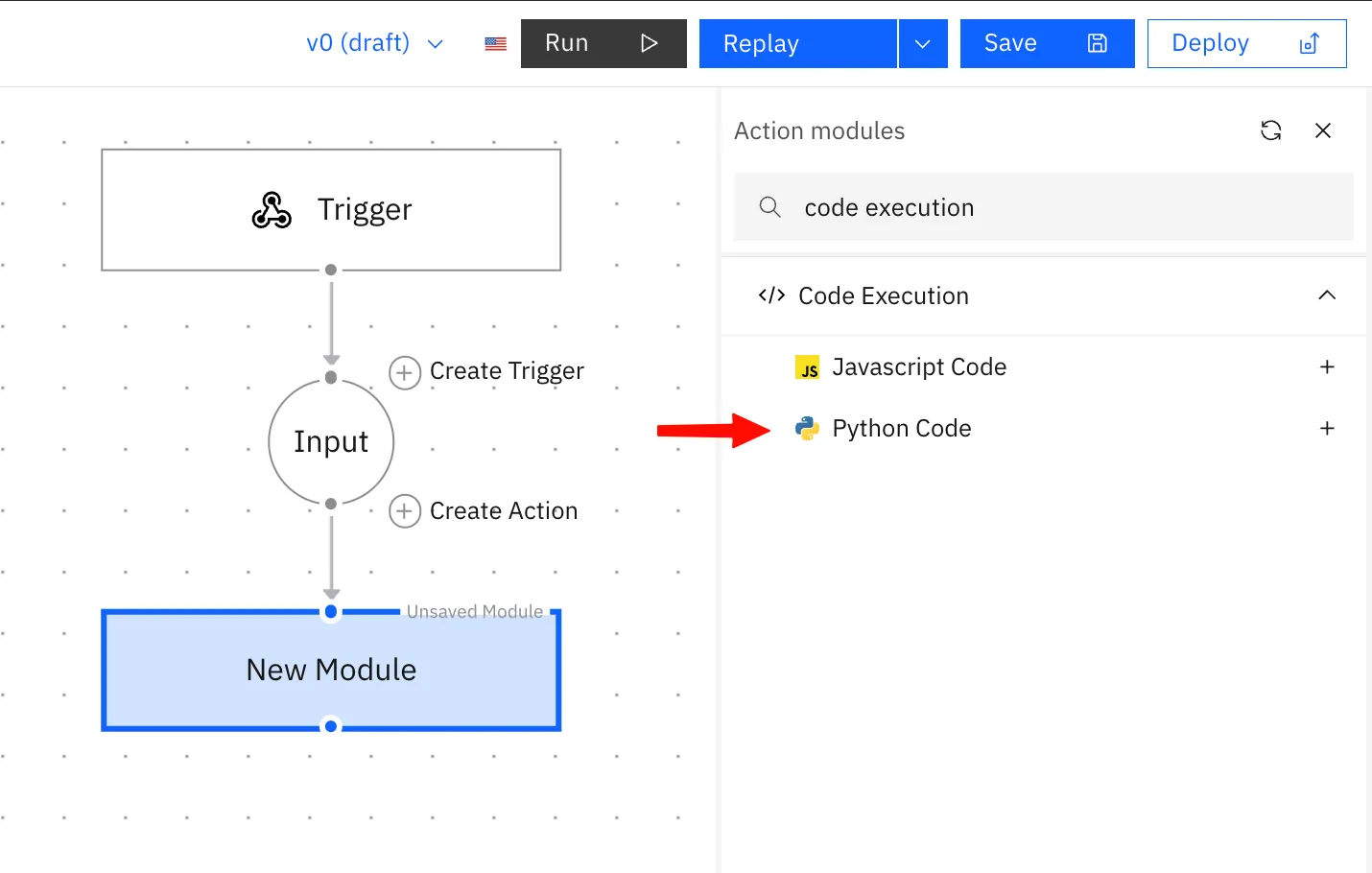
Add the **Python Code** module to your workflow as an action node.
## 2. Pass Data In Context
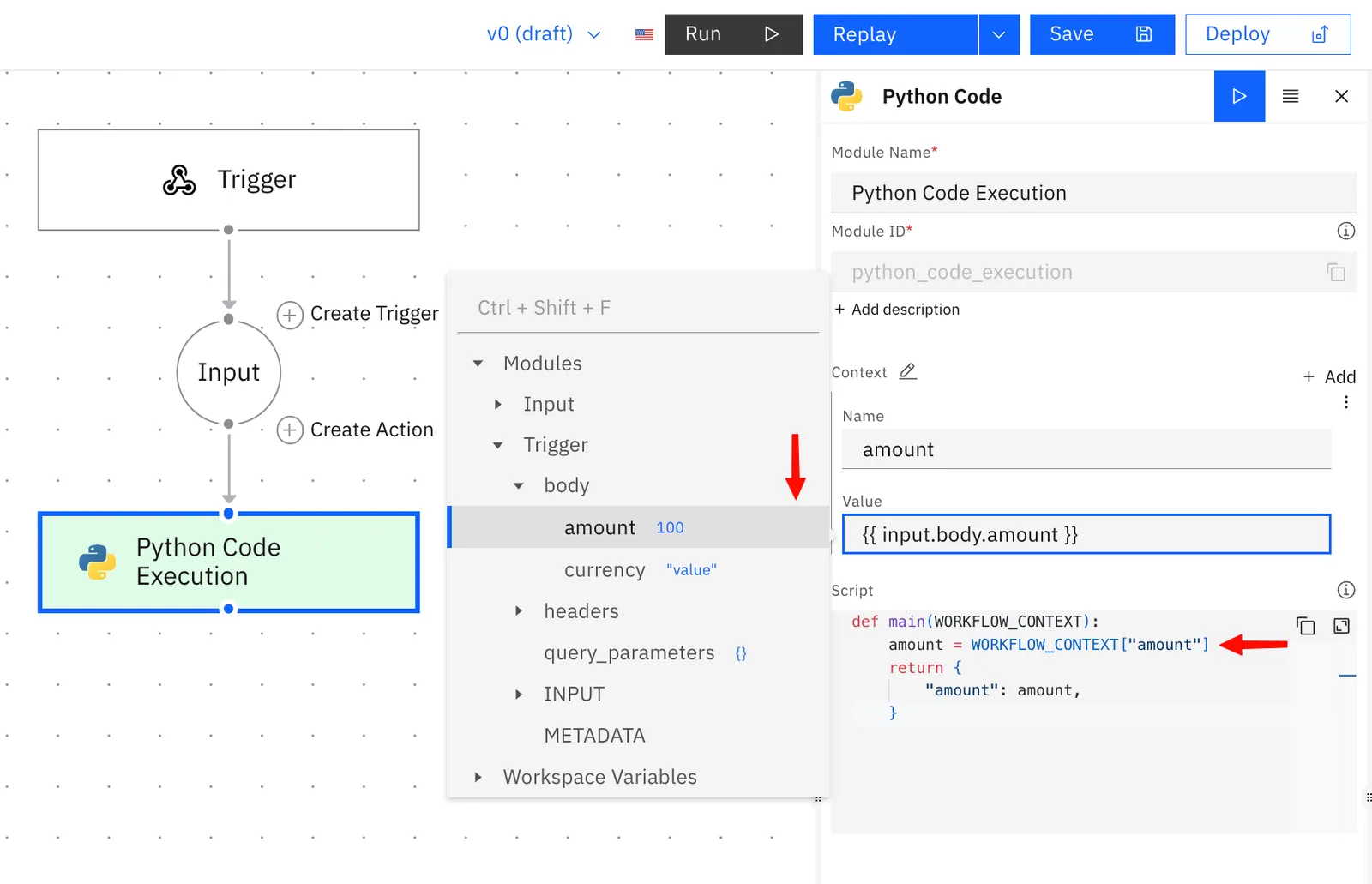
In the module configuration panel, add context variables under the **Context** section. Each entry takes a **Name** and a **Value,** use the variable picker to map values from upstream nodes.
Each context entry becomes a key on `WORKFLOW_CONTEXT` inside your script:
```python
def main(WORKFLOW_CONTEXT):
amount = WORKFLOW_CONTEXT["amount"]
```
## 3. Write Your Script
Your script must define a `main` function. Stacksync automatically injects `WORKFLOW_CONTEXT` as the argument containing all your context values.
```python
def main(WORKFLOW_CONTEXT):
amount = WORKFLOW_CONTEXT["amount"]
return {
"amount": amount,
}
```
## 4. Return Data
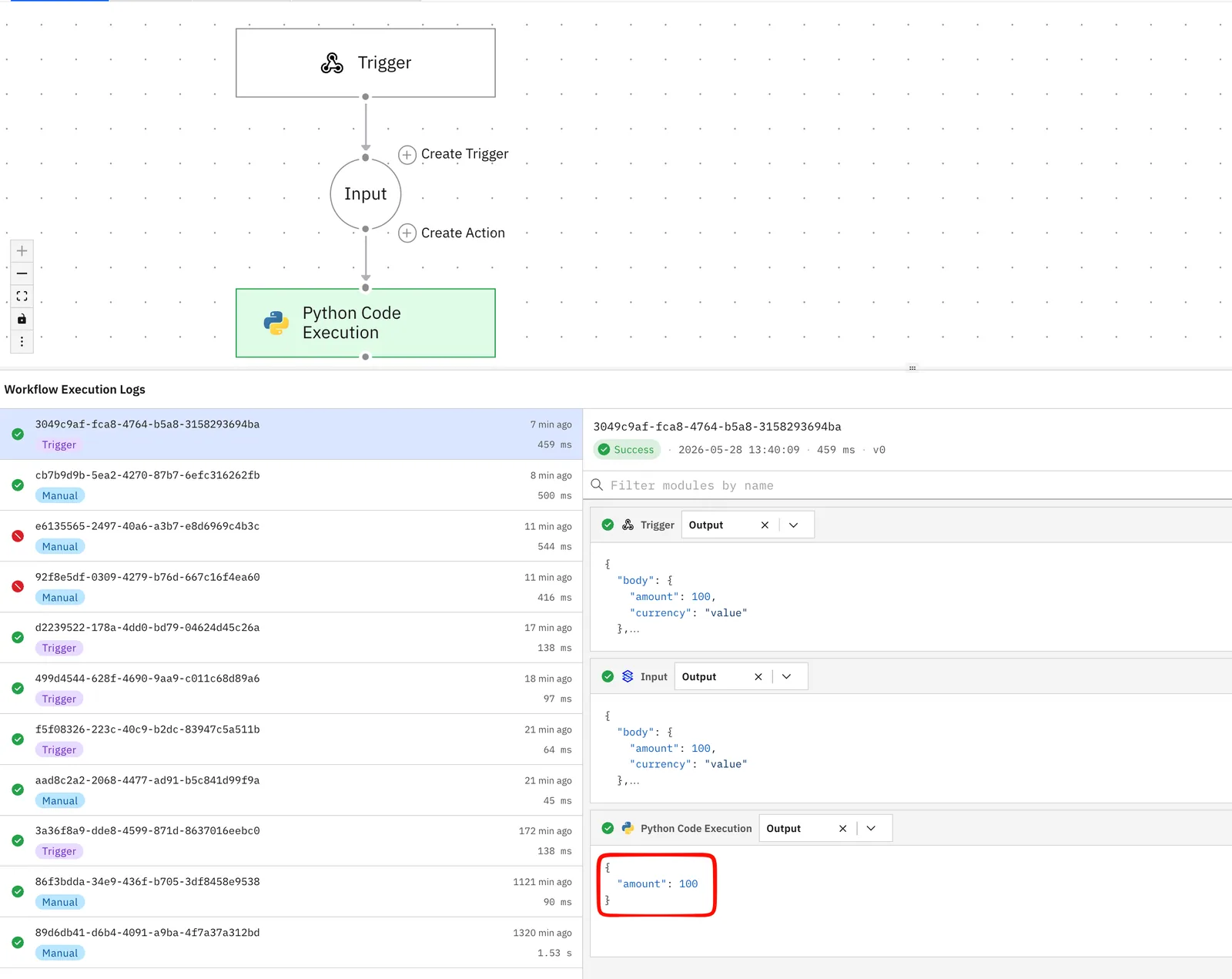
Whatever `main` returns becomes the node's output, available to downstream nodes via standard node referencing.
Reference in downstream nodes:
```jinja
{{ module_id.amount }}
```
> **Debugging:** `print()` output is captured and surfaced under `metadata.stdout` in the execution logs. Use it for debugging — it does not pass data downstream.
## Available Libraries
| Library | Use case |
| ---------------------------- | ------------------------------------ |
| `pandas` | Data manipulation and transformation |
| `numpy` | Numerical operations |
| `phonenumbers` | Phone number parsing and formatting |
| `json` | JSON parsing |
| `os` | OS-level utilities |
| Python 3.10 standard library | All built-in modules |
## Limits
| Limit | Value |
| ---------------- | -------------------- |
| Timeout | 300s (5 min) |
| Memory | 700 MB |
| Filesystem | Read-only, no writes |
| Runtime packages | Pre-installed only |
> **Watch out:** Large pandas DataFrames can hit the 700 MB memory limit. Process data in chunks where possible.