# Authorize Postgres

> Authenticate your Postgres app and sync data with Stacksync

Source: https://docs.stacksync.com/connectors/postgres/authorize-postgres

You can also watch a quick video on how to authorize Postgres

<YouTube id="J4Q09Vt57h8" title="Video" />

## Adding Credentials to Stacksync

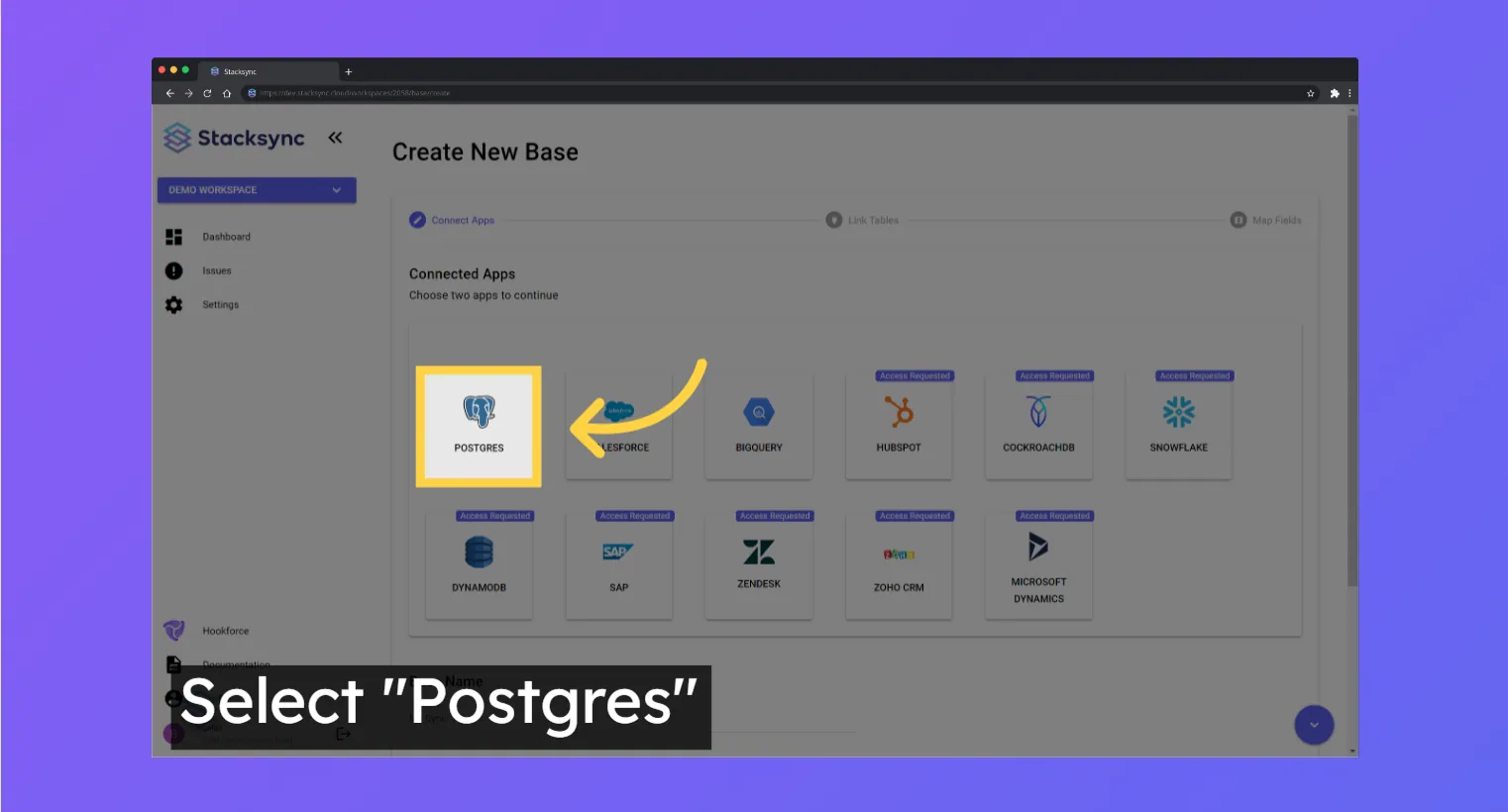
### 1. Select Postgres in the Create Sync page in Stacksync.

<figure>
  <img src="/https/docs.stacksync.com/images/connectors/create-base-select-postgres.webp" alt="Stacksync &#x22;Create New Base&#x22; Connected Apps step with the Postgres tile highlighted and the caption &#x22;Select &#x22;Postgres&#x22;&#x22;." width="1522" height="820" loading="lazy" decoding="async" />

  <figcaption />
</figure>

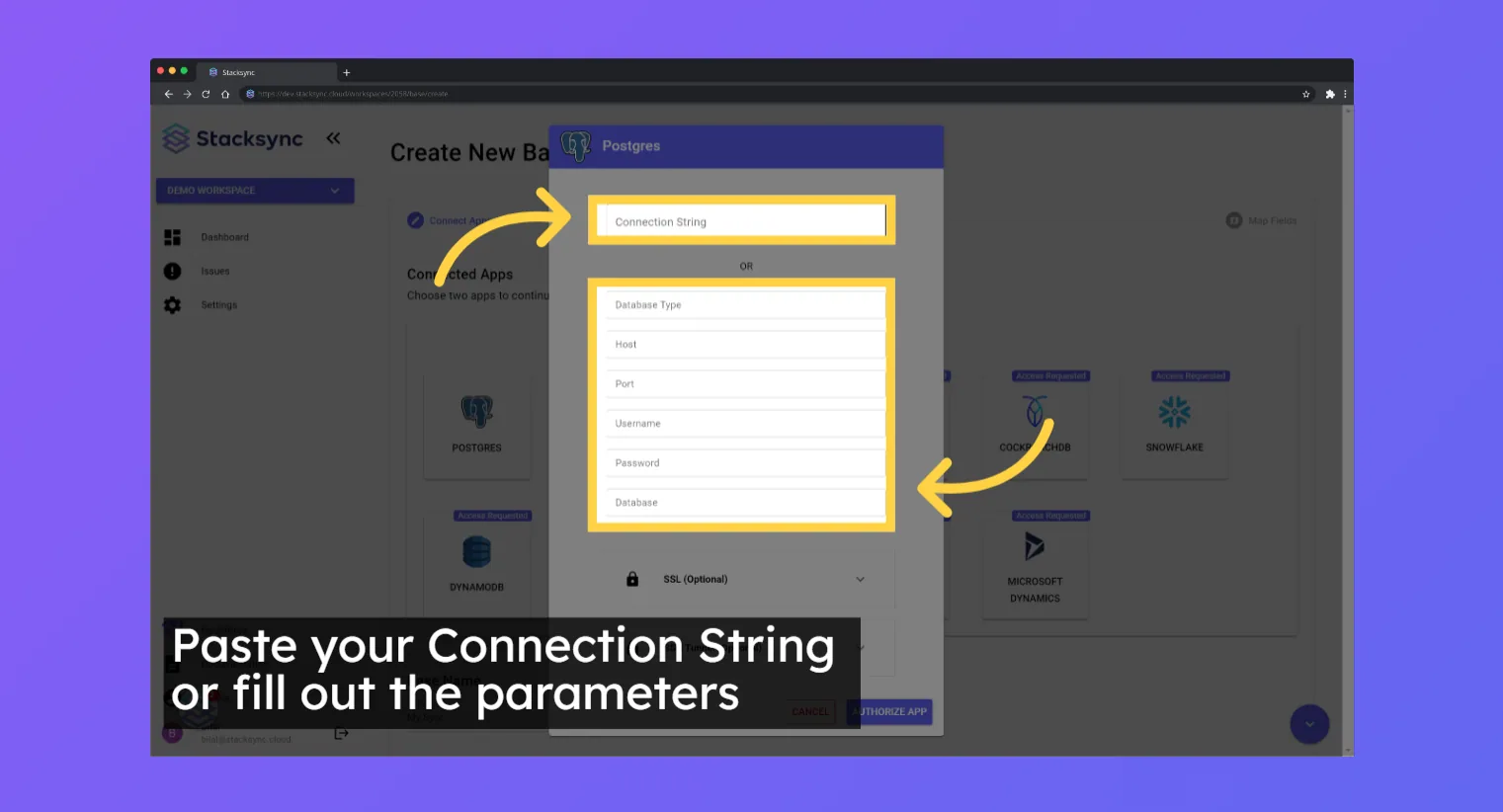
### 2. Add your Postgres credentials as Connection String or as Parameters.

<figure>
  <img src="/https/docs.stacksync.com/images/connectors/postgres-connection-string-or-parameters.webp" alt="Stacksync Postgres dialog highlighting the Connection String field or the Database Type, Host, Port, Username, Password and Database fields." width="1521" height="822" loading="lazy" decoding="async" />

  <figcaption />
</figure>

### 3. (Optional) Upload your SSL Root Certificate file

<figure>
  <img src="/https/docs.stacksync.com/images/connectors/postgres-ssl-root-certificate-optional.webp" alt="Stacksync Postgres dialog with the SSL (Optional) section expanded to upload an SSL Root Certificate." width="1519" height="822" loading="lazy" decoding="async" />

  <figcaption />
</figure>

### 4. (Optional) Add SSH user and SSH host

<figure>
  <img src="/https/docs.stacksync.com/images/connectors/postgres-ssh-tunnel-user-host.webp" alt="Stacksync Postgres dialog with the SSH Tunnel (Optional) section expanded showing SSH User and SSH Host fields." width="1515" height="822" loading="lazy" decoding="async" />

  <figcaption />
</figure>

### 5. Click "Authorize App"

<figure>
  <img src="/https/docs.stacksync.com/images/connectors/postgres-connection-authorize-app.webp" alt="Stacksync Postgres connection dialog with the &#x22;Authorize App&#x22; button highlighted." width="1516" height="823" loading="lazy" decoding="async" />

  <figcaption><p>Click "Authorize App"</p></figcaption>
</figure>