# Authentication
> How AI assistants sign in to the Stacksync MCP, how long sessions last, and when to use API keys
Source: https://docs.stacksync.com/mcp/authentication
One Stacksync MCP connection and one sign-in give your assistant access to both [Stacksync platform management](/mcp/platform) and [MCP Gateway](/mcp/gateway), subject to your permissions and workspace settings.
## Sign in with your Stacksync login
The Stacksync MCP uses OAuth. The first time your assistant uses the server, it opens the Stacksync sign-in page:
* Sign in with your Stacksync login, as in the Stacksync app.
* Choose a **default workspace**. Your assistant uses it for requests that don't name a workspace.
* To grant read-only access, clear **Make changes**. Your assistant can then read your resources but not change them.
## Your permissions, nothing more
Your assistant acts on your behalf, with your role in each Stacksync workspace you belong to. It sees only the resources and data you can see in the Stacksync app. Workspace owners can limit it further with [governance settings](/mcp/governance) and [MCP Gateway Policies](/mcp/gateway-policies).
One server URL serves all your workspaces, in every Stacksync region.
## Sessions
Your assistant stays signed in. You sign in again only after 30 days of inactivity, and at least every 90 days.
The **Sessions** tab of the **MCP** page lists the assistants you have signed in, with their last activity. Select **Revoke** to end a session immediately.
## API keys
Use an API key instead of signing in when no person is present to sign in: scripts, CI pipelines, and MCP clients without OAuth. Send the key in the `Authorization` header:
```
Authorization: Bearer
```
Stacksync has two types of API keys:
| | User API key | Workspace API key |
| ------------------------ | ----------------------------------------------------------------------------------------------------------------------------- | ---------------------------------------------- |
| **Acts as** | You | The workspace, with the workspace owner's role |
| **Workspaces** | Every Stacksync workspace you belong to, with your role in each. When you belong to several, the request names the workspace. | Only the workspace that created it |
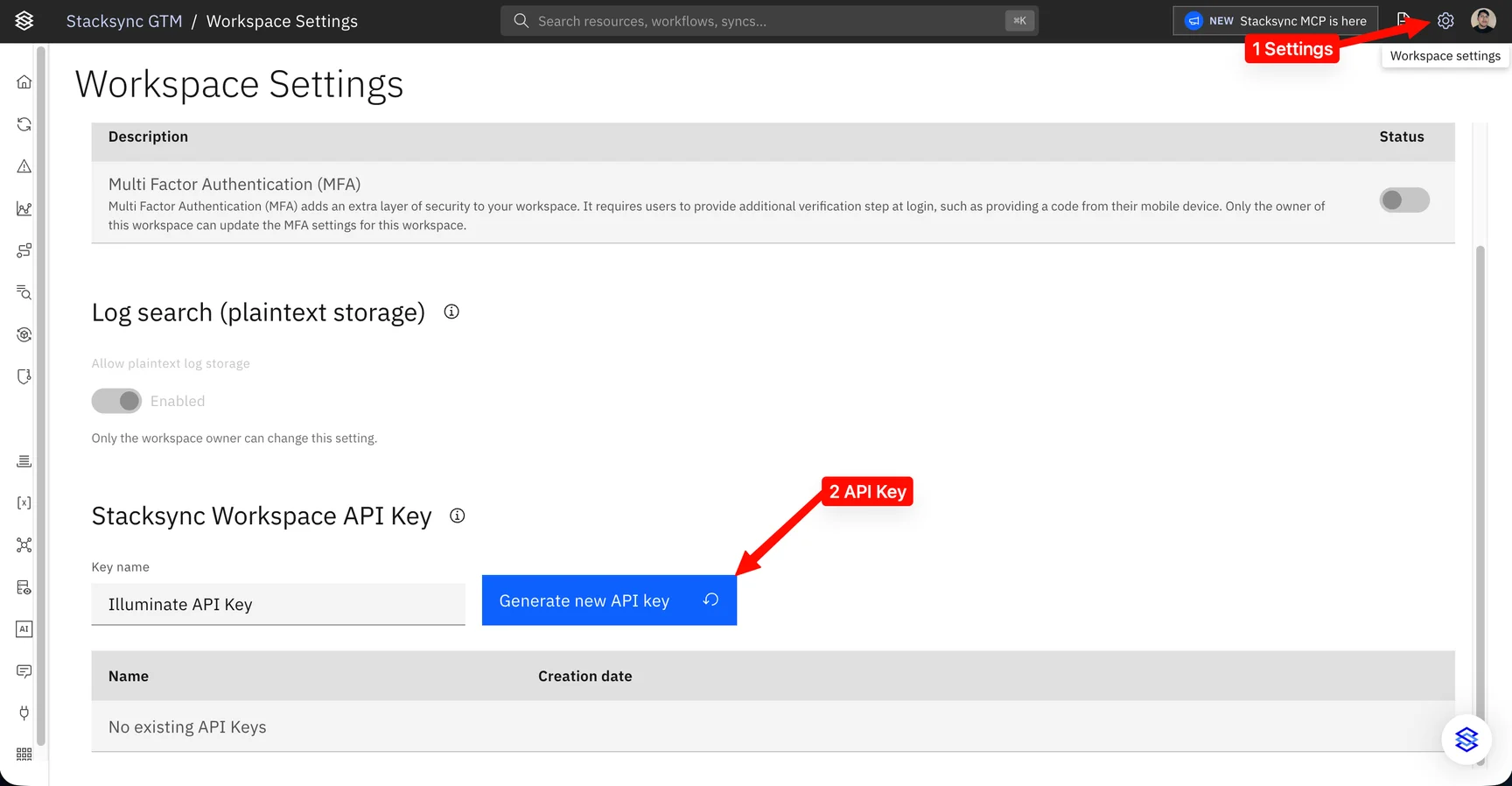
| **Where to create it** | Your **Profile** page, under **Stacksync User API Key**. Each user has one key, and regenerating it replaces the old one. | **Workspace settings → Security & API keys** |
| **MCP Gateway Policies** | The policies that include you, or the Default Policy | The Default Policy |
| **Rate limit** | 120 tool calls per minute, shared with your signed-in assistants | 120 tool calls per minute for each key |
| **Shown in activity as** | You | The API key |
An API key can read and make changes, with no read-only option. When **Ask before every change** is on, changes made with an API key also wait for acceptance. [Learn more](/mcp/governance).
Keep API keys secret: anyone with a key can act with its access. Use sign-in for AI assistants that people use directly.